Valheim ESP Features for Windows PC

Valheim rewards preparation, but the world rarely sticks to your plan. A resource trip can turn into a detour, a quiet shoreline can lead to a new discovery, and a route you have traveled before can still hold something worth noticing. Valheim ESP is centered on making key visual information easier to follow while you move through the world.

The available feature categories cover players, ore, bosses, ships, and creatures, with a stream-proof overlay mode included. This page looks at what each category is designed to show and how the Windows setup fits together.
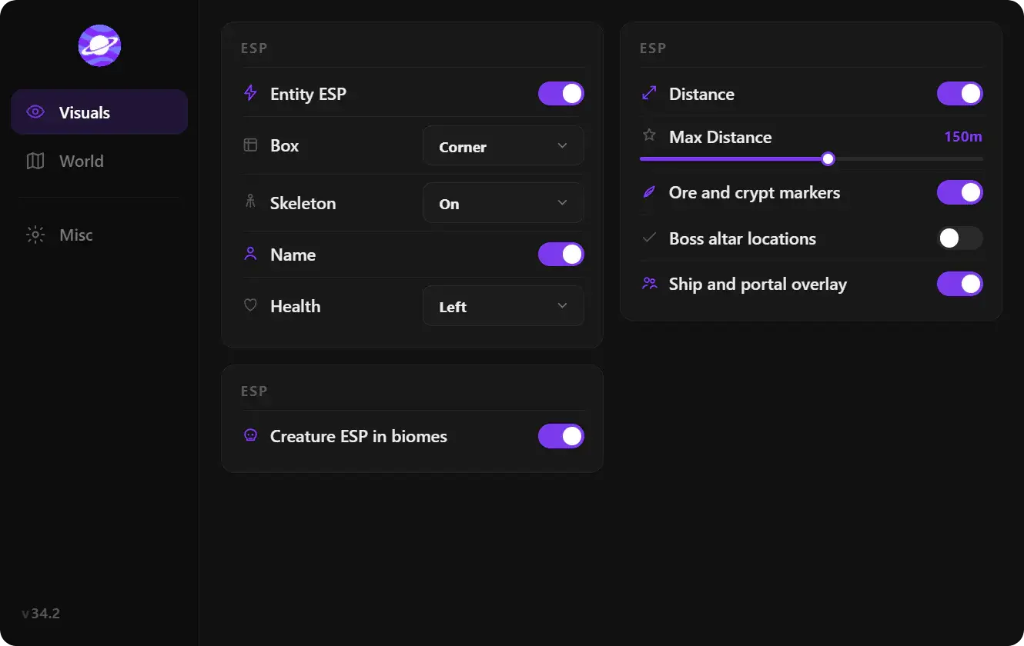
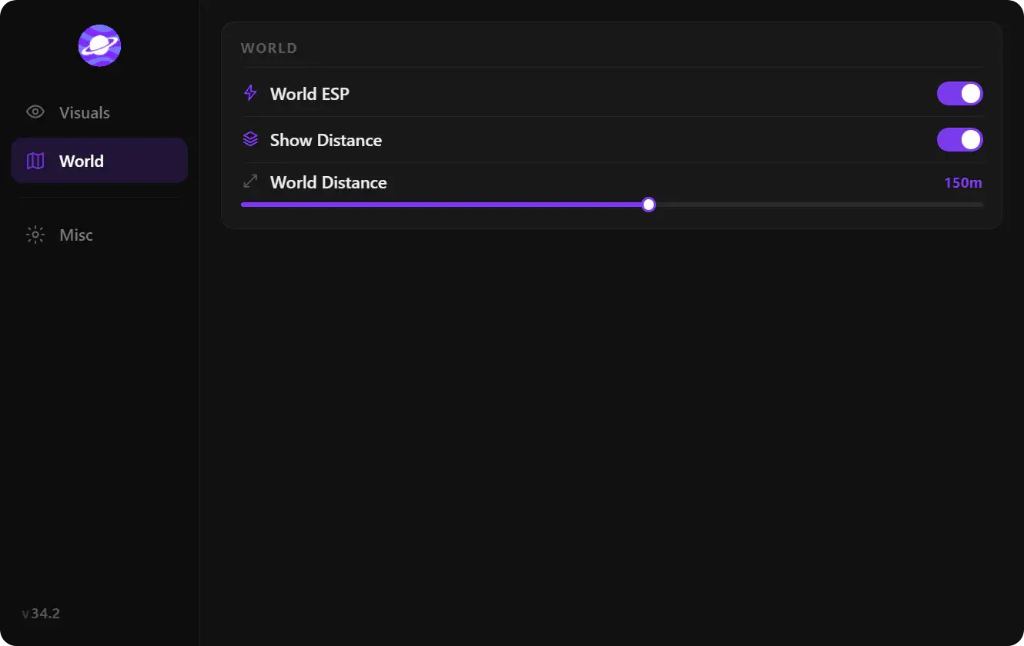
Product interface

Screenshots of the Valheim client menu from the supported build. Exact labels and layout may change with updates.

Valheim cheat client Visuals tab showing entity ESP options, creature ESP in biomes, distance slider, and ore and ship overlay toggles
Visuals tab — ESP categories and overlay controls
Valheim cheat client World tab showing World ESP, Show Distance on, and World Distance slider at 150 meters
World tab — world ESP and distance

Player ESP and Nearby Activity

Player ESP gives the interface a player-focused view of the game world. It is intended for situations where awareness of player positions is useful, whether you are moving between areas, checking the surroundings, or spending time in a shared world.

The goal of a clear ESP layout is readability. Markers should be easy to distinguish from the landscape, so the information can be checked at a glance without taking over the screen. Use the in-product visuals to see how the available player markers are presented in the current build.

Resource and Ore ESP for More Focused Runs

Resource gathering is part of almost every Valheim progression loop. You might set out for ore, gather materials for a new workbench upgrade, or look for the ingredients needed to prepare for another biome. Resource ESP puts the ore category at the center of that search.

Valheim resource ESP is a natural fit for players who want to plan gathering sessions around specific destinations. Rather than turning the page into a long list of every resource in the game, this feature overview stays focused on the ore markers included in the product.

Boss, Ship, and Creature Markers

Valheim's world is shaped by its biomes, creatures, and major encounters. Boss ESP, Ship ESP, and Creature ESP extend the feature set beyond gathering, giving each of these categories its own place in the overall view.

Boss markers are centered on major encounters. Ship markers relate to journeys across the water, while creature markers add another visual category for exploring the environment. Together with player and ore ESP, they form the core set of Valheim ESP features listed for the product.

  • Boss ESP — A category for boss-related markers.
  • Ship ESP — A category for ship-related visibility.
  • Creature ESP — A category for creature markers around the world.

Stream-Proof Overlay Mode

The stream-proof overlay is designed for players who capture or broadcast gameplay. Its purpose is to keep ESP markers and menus out of OBS, Streamlabs, and most capture tools, allowing the game view to remain the focus of the recording or stream.

Capture software and configurations can differ, so use the current feature demonstration to review how the mode is presented. The product page includes a showcase of the Valheim interface and its available overlay features.

Windows Requirements and Cloud DMA

The Valheim product lists Windows 10 and Windows 11 support, a dedicated GPU, and a minimum of 8 GB RAM. HVCI, Core Isolation, TPM, and Secure Boot are also listed as enabled requirements. Cloud DMA is required for full functionality on supported builds.

Cloud DMA uses a Hyper-V-based virtual environment on the same Windows PC. Its setup has additional requirements around CPU virtualization, the Hyper-V role, memory, and internet connectivity. Visit the Cloud DMA guide for the complete checklist, then review the pricing page to compare the available access options.

Related pages

Frequently asked questions

Which ESP categories are included for Valheim?
The listed categories are Player, Ore, Boss, Ship, and Creature ESP. A stream-proof overlay is also included in the feature list.
Does Valheim ESP include a stream-proof overlay?
Yes. The listed stream-proof mode is designed to hide ESP markers and menus from OBS, Streamlabs, and most capture tools.
What is required to run Valheim ESP?
The listed setup supports Windows 10 and 11, calls for at least 8 GB RAM and a dedicated GPU, and requires HVCI, Core Isolation, TPM, and Secure Boot. Cloud DMA is required for full functionality on supported builds.

Image alt text patterns

Use these as guidance when adding screenshots or feature images to this page.

  • Valheim player ESP overlay showing [verified marker]
  • Valheim ore ESP feature preview in [biome]
  • Valheim boss ESP feature preview during [encounter]
  • Valheim ship and creature ESP gameplay preview
  • Valheim stream-proof overlay feature in Windows gameplay